Showing posts with label dual. Show all posts
Showing posts with label dual. Show all posts
Friday, January 30, 2015
Yuandao N101 II RK3066 Dual core tablet Firmware
Yuandao N101 II RK3066 Dual core tablet Firmware
 |
| Logo is property of Respective Owners. |
Wiki
Read article about Rockchip CPU on WikipediaKnowledge base :
What board ID , Tablet CPU Chip ,Firmware Number does my Tablet have ?
Frequently Asked Question about Android Tablets
When I need to Restore or Reset my Android Tablet Pc?
1. Forgotten Pattern Lock .
2.Too many pattern attempts / Reset user lock.
3. Tablets PC stuck on Gmail account.
4. Android Tablets PC stuck on Android logo.
5. Tablet Android hang on start up / Multiple errors generating by OS.
6. Android Market having problems or generating errors.
7.Upgrading to new Android OS.
Instructions:
6. Android Market having problems or generating errors.
7.Upgrading to new Android OS.
Instructions:
you can use this Android Tablet firmware, Stock ROM to restore your Android China tablets to generic firmwares or upgrades . Make sure to charge battery . Power failure during flashing may result dead or broken tablets.
.
.
Note : Flashing generic tablet firmware should be last option.
Flashing Tutorials :
Read Before : Flashing Tutorial for Rockchip
Download Flashing Instructions : PDF
Drivers for Rockchip:
Download Drivers for Rockchip tablets
Flashing Tools:
Download: RKbatch Tool
Recommended Tools:
you can also use:Android Tools for Rockchip TabletsDownloads:
DOWNLOAD OFFICIAL FIRMWARE

Monday, January 26, 2015
Call Touch C8i 7 Inch Allwinner Dual Camera Tablet Stock Rom
Call Touch C8i7 Inch Dual Camera Tablet Stock Rom
&
Flashing Tutorials.
Board ID : TW A0708 V6.1 0304
CPU / Chip : Allwinner A13
CPU / Chip : Allwinner A13
 |
| Touch Working |
 |
| Front Camera Working |
 |
| Wifi Working |
What board id ,BoxChip,CPU Chip ,does my tablet pc have ?
Things to remember before Flashing Tablet Pc
Problem : Tablet was stuck on Android Logo and turn off suddenly , when remove charger.
Solution : Flash with stock rom.
Frequently Asked Question about Tablets
When I need to restore my tablet pc ?
In Case of Following
1. Forgotten Pattern Lock on Android Tablets.
2.Too many pattern attempts / Reset user lock.
3. Tablets PC stuck on Gmail account.
4. Android Tablet PC stuck on Android logo.
5. Tablet Android hang on start-up / Multiple errors generating by OS.
6. Android Market having problems or generating errors.
7.Upgrading to new Android version.
you can use this Android Tablet firmware, ROM to restore your Android China tablets to generic firmwares or upgrades . Make sure to charge battery upto 60%. Power failure during flashing may result dead or broken tablets.
Note : Flashing generic tablet firmware should be last option.
How to Flash Android Tablet Pc ?
Flashing Tutorials for Allwinner Tablets:
- LiveSuit Tutorial : how to flash tablet with LiveSuit
- Phoenix Usb Pro Tutorial :Read Instructions
- Phoenix Usb PrO Video Tutorial :Tutorial
- Phoenix Card Tool:Firmware update instruction with microSD card
- See also Phoenixcard Tools
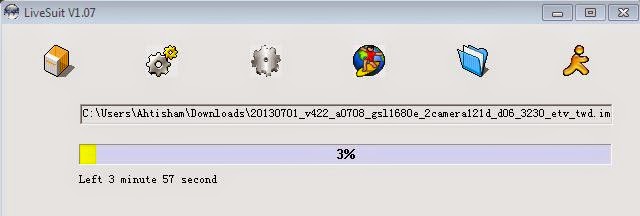 |
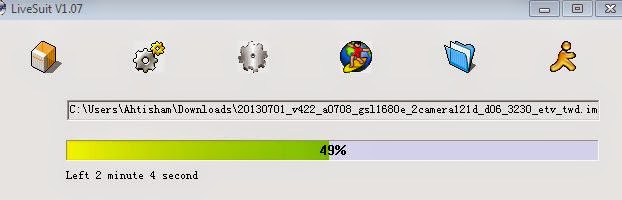
| Flashing start |
Recommended Tools :
You can also use : Android Multi Tools
TW A0708 V6.1 0304 Stock Rom
Subscribe to:
Posts (Atom)