Showing posts with label app. Show all posts
Showing posts with label app. Show all posts
Tuesday, February 17, 2015
App Screen Showcase Mockup PSD
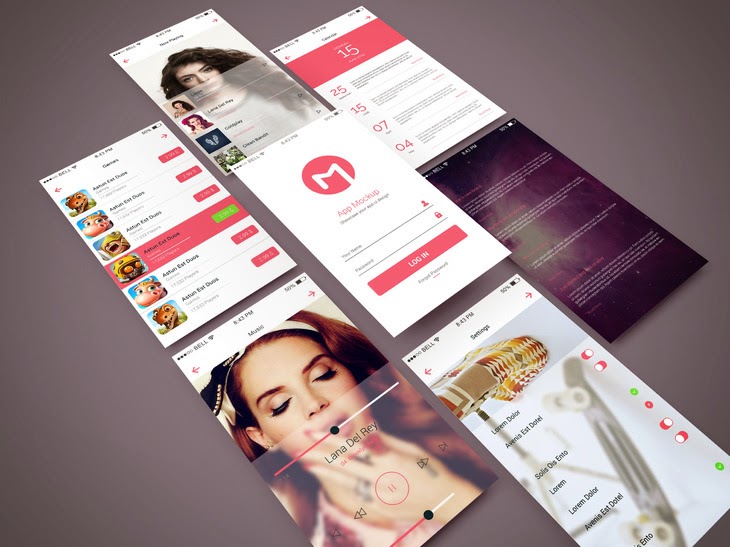
Free Download App Screen Showcase PSD Mockup. Perspective app screens mockup to showcase your app design in modern way. Enjoy!
Type : PSD
Category : Mockups
License : Free
Author : Graphberry
Download

Wednesday, February 11, 2015
Free PSD App Screen iOS 7
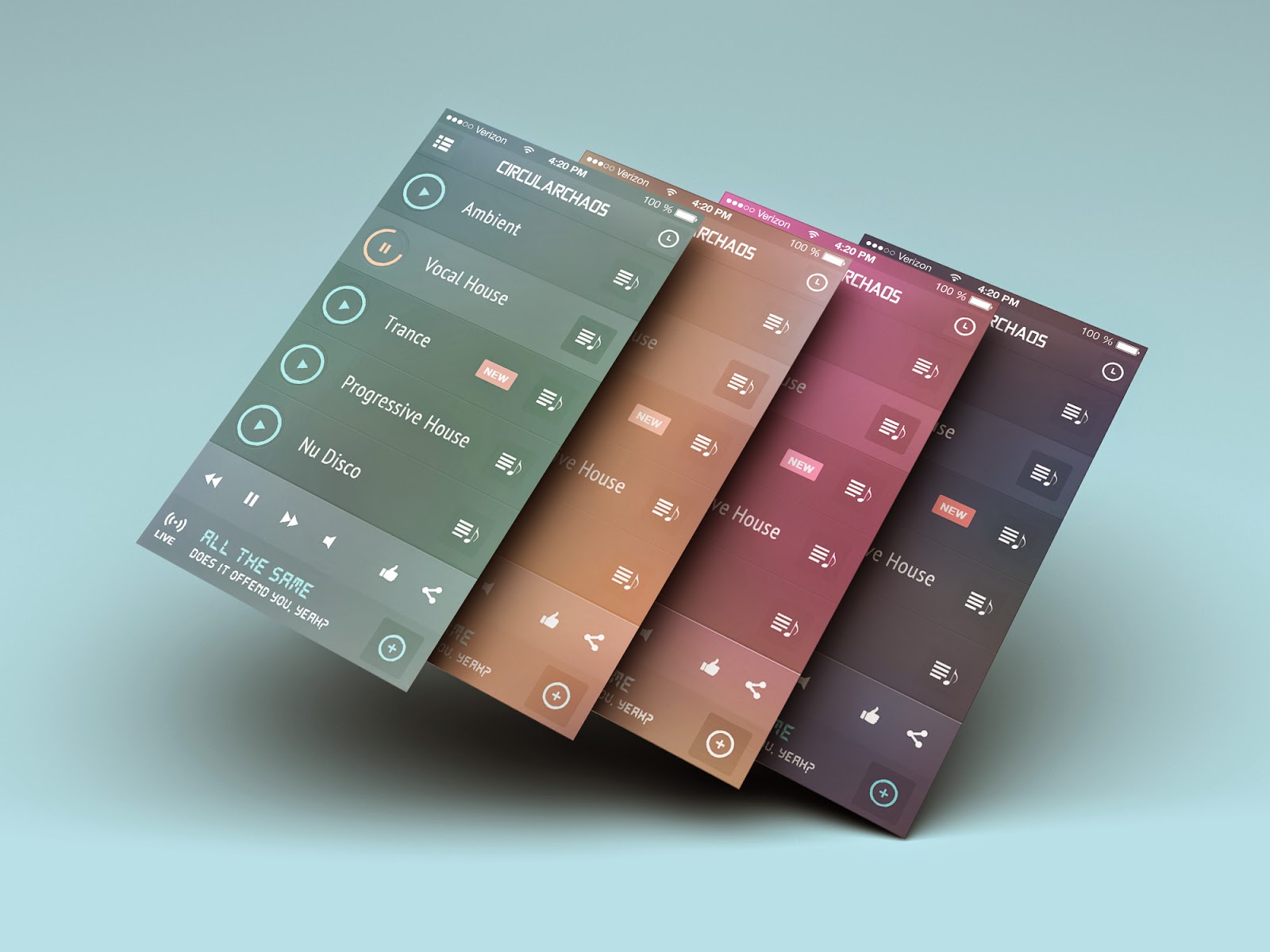
Free Download PSD App Screen iOS 7. you can display up to 4 vertical screens in one shot, check out the 4 screen preview for the real pixels. Enjoy!
Type : PSD
Category : Mockups
License : Free
Author : Dribbble
Download
Saturday, January 31, 2015
KirSizer Flex AIR Image Sizer app Part 4
In this tutorial we will add the ability to add folders to the selected file list.
First of all, we need to adjust the existing code in filesSelected() function by changing the way we store data in selectedFiles array. It is going to have a "type" property, which will be set to 0 if it is a file that is stored, and to 1 if it is a directory (we are going to keep files AND directories in the same array). Set the nativePath value to "path" property. Change the line that updates total file count to call updateTotalFiles() function:
Now find the "Add folder" button and add a click event handler addFolder():
This function creates a file, which we use to call a browseForDirectory() method, with Event.SELECT event listener and handler folderSelected:
The handler function calls a doFolder() function, passing the selected directory as parameter:
The doFolder() function is a big once, since it does multiple things.
First of all, it declares 2 variables - picturesInFolder (and sets its value to 0) and childFiles (array). We set the childFiles array to file.getDirectoryListing(), so that it contains all the files and directories from the folder.
Then we loop through these childFiles elements, see if they are png/jpg/jpeg files or directories. If its a picture file, we increase picturesInFolder. If its a directory, we call doFolder() on that directory. This means that the function will also select subfolders, subsubfolders, and so on.
Then we check if there were any pictures in this folder (in other words, if its not empty). If it isnt empty, we check if this folder has already been selected, similarly to the way we did in filesSelected(). Finally, we add the item to selectedFiles by providing several properties. The properties are type, path, name and num. We set type to 1, since its a directory, path to file.nativePath, name to file.name, and num to picturesInFolder.
The updateToatlFiles() function weve used twice now simply loops through all the children of the array and sees if its a file or a directory and adds the necessary amount of files to the total amount:
Now, we need to update TileRenderer class, so that it displays a folder icon if its representing a directory, along with two labels that show the name of the folder and how many pictures it contains. The code is pretty straightforward - we simply check what data.type it is and set the values:
You can see that I used a folder.png picture from the lib folder of the project. Here it is:

Full Main.mxml code:
Thanks for reading!
Read more »
First of all, we need to adjust the existing code in filesSelected() function by changing the way we store data in selectedFiles array. It is going to have a "type" property, which will be set to 0 if it is a file that is stored, and to 1 if it is a directory (we are going to keep files AND directories in the same array). Set the nativePath value to "path" property. Change the line that updates total file count to call updateTotalFiles() function:
private function filesSelected(evt:FileListEvent):void {
for (var i:int = 0; i < evt.files.length; i++) {
var alreadySelected:Boolean = false;
for (var u:int = 0; u < selectedFiles.length; u++) {
if (selectedFiles[u].type == 0 && selectedFiles[u].path == evt.files[i].nativePath) {
alreadySelected = true;
}
}
if (!alreadySelected) selectedFiles.addItem({type:0, path:evt.files[i].nativePath});
}
updateTotalFiles();
}
Now find the "Add folder" button and add a click event handler addFolder():
<s:Button label="Add folder" width="100%" click="addFolder();" />
This function creates a file, which we use to call a browseForDirectory() method, with Event.SELECT event listener and handler folderSelected:
private function addFolder():void {
var file:File = new File();
file.browseForDirectory("Select a directory");
file.addEventListener(Event.SELECT, folderSelected);
}
The handler function calls a doFolder() function, passing the selected directory as parameter:
private function folderSelected(evt:Event):void {
doFolder(evt.currentTarget as File);
}
The doFolder() function is a big once, since it does multiple things.
First of all, it declares 2 variables - picturesInFolder (and sets its value to 0) and childFiles (array). We set the childFiles array to file.getDirectoryListing(), so that it contains all the files and directories from the folder.
Then we loop through these childFiles elements, see if they are png/jpg/jpeg files or directories. If its a picture file, we increase picturesInFolder. If its a directory, we call doFolder() on that directory. This means that the function will also select subfolders, subsubfolders, and so on.
Then we check if there were any pictures in this folder (in other words, if its not empty). If it isnt empty, we check if this folder has already been selected, similarly to the way we did in filesSelected(). Finally, we add the item to selectedFiles by providing several properties. The properties are type, path, name and num. We set type to 1, since its a directory, path to file.nativePath, name to file.name, and num to picturesInFolder.
private function doFolder(file:File):void {
var picturesInFolder:int = 0;
var childFiles:Array = file.getDirectoryListing();
for (var i:int = 0; i < childFiles.length; i++) {
if (childFiles[i].extension == "png" || childFiles[i].extension == "jpg" || childFiles[i].extension == "jpeg") {
picturesInFolder++;
}
if (childFiles[i].isDirectory) {
doFolder(childFiles[i]);
}
}
if (picturesInFolder > 0) {
var alreadySelected:Boolean = false;
for (var a:int = 0; a < selectedFiles.length; a++) {
if (selectedFiles[a].type == 1 && selectedFiles[a].path == file.nativePath) {
alreadySelected = true;
}
}
if (!alreadySelected) selectedFiles.addItem( { type:1, path:file.nativePath, name:file.name, num:picturesInFolder } );
updateTotalFiles();
}
}
The updateToatlFiles() function weve used twice now simply loops through all the children of the array and sees if its a file or a directory and adds the necessary amount of files to the total amount:
private function updateTotalFiles():void {
var totalFiles:int = 0;
for (var i:int = 0; i < selectedFiles.length; i++) {
if (selectedFiles[i].type==1) {
totalFiles += selectedFiles[i].num;
}else {
totalFiles++;
}
}
labelSelected.text = totalFiles + " files selected";
}
Now, we need to update TileRenderer class, so that it displays a folder icon if its representing a directory, along with two labels that show the name of the folder and how many pictures it contains. The code is pretty straightforward - we simply check what data.type it is and set the values:
<?xml version="1.0" encoding="utf-8"?>
<mx:VBox xmlns:fx="http://ns.adobe.com/mxml/2009"
xmlns:s="library://ns.adobe.com/flex/spark"
xmlns:mx="library://ns.adobe.com/flex/mx"
horizontalAlign="center" verticalAlign="middle"
horizontalScrollPolicy="off" verticalScrollPolicy="off" creationComplete="init();" updateComplete="init();">
<fx:Script>
<![CDATA[
[Embed(source="../lib/folder.png")]
private var fold:Class;

private function init():void{
if (data.type == 0) {
img.source = data.path;
fgroup.alpha = 0;
}
if (data.type == 1) {
img.source = fold;
fgroup.alpha = 1;
fname.text = data.name;
fnum.text = "(" + data.num + ")";
}
}
]]>
</fx:Script>
<s:Group>
<mx:Image id="img" maxWidth="60" maxHeight="60" scaleContent="true"/>
<s:VGroup mouseEnabled="false" mouseChildren="false" alpha="0" id="fgroup" top="16">
<s:Label id="fname" width="60" color="#000000" height="12" />
<s:Label id="fnum" width="60" color="#000000" height="12" />
</s:VGroup>
</s:Group>
</mx:VBox>
You can see that I used a folder.png picture from the lib folder of the project. Here it is:
Full Main.mxml code:
<?xml version="1.0" encoding="utf-8"?>
<s:WindowedApplication xmlns:fx="http://ns.adobe.com/mxml/2009"
xmlns:s="library://ns.adobe.com/flex/spark"
xmlns:mx="library://ns.adobe.com/flex/mx"
width="300" height="460"
showStatusBar="false" title="KirSizer">

<fx:Declarations>
<mx:ArrayCollection id="measures">
<fx:String>%</fx:String>
<fx:String>px</fx:String>
</mx:ArrayCollection>
<mx:ArrayCollection id="actions">
<fx:String>Fixed width, fixed height</fx:String>
<fx:String>Fixed width, proportional height</fx:String>
<fx:String>Proportional width, fixed height</fx:String>
<fx:String>Proportional sizes to fit specified sizes</fx:String>
</mx:ArrayCollection>
<mx:ArrayCollection id="formats">
<fx:String>Same format as initial file</fx:String>
<fx:String>Convert all to JPG</fx:String>
<fx:String>Convert all to PNG</fx:String>
</mx:ArrayCollection>
<mx:Fade id="fadeIn" alphaFrom="0" alphaTo="1" duration="300"/>
<mx:Fade id="fadeOut" alphaFrom="1" alphaTo="0" duration="300"/>
</fx:Declarations>

<fx:Style>
@namespace s "library://ns.adobe.com/flex/spark";
@namespace mx "library://ns.adobe.com/flex/mx";

#contentStack{
backgroundColor: #313131;
}

s|Label{
color: #fcfcfc;
}

s|Button{
chromeColor: #636363;
}

mx|ComboBox{
chromeColor: #636363;
color: #fcfcfc;
contentBackgroundColor: #000000;
rollOverColor: #aaaaaa;
selectionColor: #ffffff;
}
</fx:Style>

<fx:Script>
<![CDATA[
import flash.events.Event;
import flash.events.FileListEvent;
import flash.filesystem.File;
import flash.net.FileFilter;
import mx.collections.ArrayCollection;
import mx.effects.easing.Linear;
import mx.controls.Alert;

[Bindable]
private var selectedFiles:ArrayCollection = new ArrayCollection([]);

private function actionChange():void{
switch (actionCombo.selectedIndex) {
case 0: case 3:
newWidth.enabled = true;
widthMeasure.enabled = true;
newHeight.enabled = true;
heightMeasure.enabled = true;
break;
case 1:
newWidth.enabled = true;
widthMeasure.enabled = true;
newHeight.enabled = false;
heightMeasure.enabled = false;
break;
case 2:
newWidth.enabled = false;
widthMeasure.enabled = false;
newHeight.enabled = true;
heightMeasure.enabled = true;
break;
}
}

private function addFiles():void {
var file:File = new File();
file.browseForOpenMultiple("Select JPG or PNG files", [new FileFilter("Pictures", "*.jpg;*.jpeg;*.png")]);
file.addEventListener(FileListEvent.SELECT_MULTIPLE, filesSelected);
}

private function filesSelected(evt:FileListEvent):void {
for (var i:int = 0; i < evt.files.length; i++) {
var alreadySelected:Boolean = false;
for (var u:int = 0; u < selectedFiles.length; u++) {
if (selectedFiles[u].type == 0 && selectedFiles[u].path == evt.files[i].nativePath) {
alreadySelected = true;
}
}
if (!alreadySelected) selectedFiles.addItem({type:0, path:evt.files[i].nativePath});
}
updateTotalFiles();
}

private function addFolder():void {
var file:File = new File();
file.browseForDirectory("Select a directory");
file.addEventListener(Event.SELECT, folderSelected);
}

private function folderSelected(evt:Event):void {
doFolder(evt.currentTarget as File);
}

private function doFolder(file:File):void {
var picturesInFolder:int = 0;
var childFiles:Array = file.getDirectoryListing();
for (var i:int = 0; i < childFiles.length; i++) {
if (childFiles[i].extension == "png" || childFiles[i].extension == "jpg" || childFiles[i].extension == "jpeg") {
picturesInFolder++;
}
if (childFiles[i].isDirectory) {
doFolder(childFiles[i]);
}
}
if (picturesInFolder > 0) {
var alreadySelected:Boolean = false;
for (var a:int = 0; a < selectedFiles.length; a++) {
if (selectedFiles[a].type == 1 && selectedFiles[a].path == file.nativePath) {
alreadySelected = true;
}
}
if (!alreadySelected) selectedFiles.addItem( { type:1, path:file.nativePath, name:file.name, num:picturesInFolder } );
updateTotalFiles();
}
}

private function updateTotalFiles():void {
var totalFiles:int = 0;
for (var i:int = 0; i < selectedFiles.length; i++) {
if (selectedFiles[i].type==1) {
totalFiles += selectedFiles[i].num;
}else {
totalFiles++;
}
}
labelSelected.text = totalFiles + " files selected";
}
]]>
</fx:Script>

<mx:ViewStack id="contentStack" width="100%" height="100%">
<s:NavigatorContent width="100%" height="100%" hideEffect="fadeOut" showEffect="fadeIn">
<s:VGroup width="100%" height="100%" paddingLeft="10" paddingTop="10" paddingRight="10" paddingBottom="10">
<s:Label id="labelSelected">0 files selected</s:Label>
<mx:TileList id="tileList" width="282" height="100%" dataProvider="{selectedFiles}" itemRenderer="TileRenderer" columnWidth="60" rowHeight="60" columnCount="4" />
<s:Button label="Add folder" width="100%" click="addFolder();" />
<s:Button label="Add files" width="100%" click="addFiles();" />
<s:Button label="Continue" width="100%" click="contentStack.selectedIndex = 1;" />
</s:VGroup>
</s:NavigatorContent>
<s:NavigatorContent width="100%" height="100%" hideEffect="fadeOut" showEffect="fadeIn">
<s:VGroup width="100%" height="100%" paddingLeft="10" paddingTop="10" paddingRight="10" paddingBottom="10">
<s:Button label="Return to file selection" width="100%" click="contentStack.selectedIndex = 0;" />

<s:Label>Resize options:</s:Label>

<mx:ComboBox width="100%" id="actionCombo" height="22" dataProvider="{actions}" selectedIndex="0" editable="false" change="actionChange();"
openEasingFunction="Linear.easeOut" closeEasingFunction="Linear.easeIn" openDuration="300" closeDuration="300"/>
<s:HGroup verticalAlign="middle">
<s:Label width="50">Width:</s:Label>
<s:NumericStepper id="newWidth" height="22" width="150" minimum="1" value="100" maximum="{(widthMeasure.selectedIndex==0)?(100):(4000)}" />
<mx:ComboBox id="widthMeasure" height="22" width="50" dataProvider="{measures}" selectedIndex="0" editable="false"
openEasingFunction="Linear.easeOut" closeEasingFunction="Linear.easeIn" openDuration="300" closeDuration="300"/>
</s:HGroup>

<s:HGroup verticalAlign="middle">
<s:Label width="50">Height:</s:Label>
<s:NumericStepper id="newHeight" height="22" width="150" minimum="1" value="100" maximum="{(heightMeasure.selectedIndex==0)?(100):(4000)}"/>
<mx:ComboBox id="heightMeasure" height="22" width="50" dataProvider="{measures}" selectedIndex="0" editable="false"
openEasingFunction="Linear.easeOut" closeEasingFunction="Linear.easeIn" openDuration="300" closeDuration="300"/>
</s:HGroup>

<s:Label/>

<s:Label>Output file names:</s:Label>
<s:HGroup verticalAlign="middle">
<s:TextInput width="240" text="%initialName%" />
<s:Button width="35" label="?"/>
</s:HGroup>

<s:Label/>

<s:Label>Output destination:</s:Label>
<s:HGroup verticalAlign="middle">
<s:RadioButton id="oldDestination" label="Same directory" groupName="destinationGroup" selected="true" />
<s:RadioButton id="newDestination" label="Specified directory" groupName="destinationGroup" />
</s:HGroup>
<s:HGroup verticalAlign="middle" width="100%">
<s:TextInput width="100%" enabled="{newDestination.selected}" text="Select destination..." editable="false" />
<s:Button width="80" label="Browse" enabled="{newDestination.selected}"/>
</s:HGroup>

<s:Label/>

<s:Label>Output format:</s:Label>
<mx:ComboBox width="100%" height="22" id="formatCombo" dataProvider="{formats}" selectedIndex="0" editable="false"
openEasingFunction="Linear.easeOut" closeEasingFunction="Linear.easeIn" openDuration="300" closeDuration="300"/>

<s:Label/>

<s:Label>Output JPG quality:</s:Label>
<s:HSlider width="100%" minimum="1" maximum="100" value="100" />

<s:Label/>

<s:Button label="Resize" width="100%" />
</s:VGroup>
</s:NavigatorContent>
</mx:ViewStack>
</s:WindowedApplication>
Thanks for reading!
Wednesday, January 21, 2015
Creating a Flex AIR Screenshot app Part 28
In this tutorial we will add a feature that checks if the cropped image we are saving already exists, and asks the user if he wants to overwrite it, as well as add a "deselect" function.
Go to startExportCrop() function and find the internal saveSelect() function. Inside of it, add a conditional checking if the file with the specified path exists. If it doesnt, just write the file, but if it does - throw out an Alert window asking the user if he wants to overwrite the file with 2 buttons - Yes and No. Add a close event handler function onCloseOverwrite:
The onCloseOverwrite() function is an internal functino of startExportCrop(), just like saveSelect(). Here we check if "Yes" was selected, and if it was - save the file.
Full startExportCrop() function:
Now lets declare a variable called canDeselect:
Go to crop state container and add a button to the toolbar labelled Deselect, with enabled bound to canDeselect and click event handler set to clearCropSelection():
The function looks like this:
You may notice that it is similar to what we wrote inside of changeState() function in the crop conditional - because it is basically the same piece of code. So instead of duplicating the code, we just call this function there:
Now go to drawRectangle() function and set canDeselect to true there.
And were done!
Full code:
Thanks for reading!
Read more »
Go to startExportCrop() function and find the internal saveSelect() function. Inside of it, add a conditional checking if the file with the specified path exists. If it doesnt, just write the file, but if it does - throw out an Alert window asking the user if he wants to overwrite the file with 2 buttons - Yes and No. Add a close event handler function onCloseOverwrite:
function saveSelect():void {
file.nativePath += "." + pref_format;
if(!file.exists){
fileStream = new FileStream();
fileStream.open(file, FileMode.WRITE);
fileStream.writeBytes(byteArray);
fileStream.close();
cropBack();
} else {
Alert.show("File already exists. Overwrite?", "Hey!", Alert.YES | Alert.NO, null, onCloseOverwrite);
}
}
The onCloseOverwrite() function is an internal functino of startExportCrop(), just like saveSelect(). Here we check if "Yes" was selected, and if it was - save the file.
function onCloseOverwrite(evt:CloseEvent):void {
if (evt.detail == Alert.YES) {
fileStream = new FileStream();
fileStream.open(file, FileMode.WRITE);
fileStream.writeBytes(byteArray);
fileStream.close();
cropBack();
}
}
Full startExportCrop() function:
private function startExportCrop():void {
var encoder:IImageEncoder;
var byteArray:ByteArray;
var file:File;
var fileStream:FileStream;

if (pref_format == "JPG") {
encoder = new JPEGEncoder(pref_quality);
}
if (pref_format == "PNG") {
encoder = new PNGEncoder();
}

byteArray = encoder.encode(cropBD);
file = File.documentsDirectory.resolvePath("crop");
file.browseForSave("Save cropped image");
file.addEventListener(Event.SELECT, saveSelect);

function saveSelect():void {
file.nativePath += "." + pref_format;
if(!file.exists){
fileStream = new FileStream();
fileStream.open(file, FileMode.WRITE);
fileStream.writeBytes(byteArray);
fileStream.close();
cropBack();
} else {
Alert.show("File already exists. Overwrite?", "Hey!", Alert.YES | Alert.NO, null, onCloseOverwrite);
}
}

function onCloseOverwrite(evt:CloseEvent):void {
if (evt.detail == Alert.YES) {
fileStream = new FileStream();
fileStream.open(file, FileMode.WRITE);
fileStream.writeBytes(byteArray);
fileStream.close();
cropBack();
}
}
}
Now lets declare a variable called canDeselect:
[Bindable]
private var canDeselect:Boolean = false;
Go to crop state container and add a button to the toolbar labelled Deselect, with enabled bound to canDeselect and click event handler set to clearCropSelection():
<s:NavigatorContent id="crop">
<s:VGroup width="{contentBox.width}" height="100%" gap="0" horizontalAlign="center">
<mx:HBox backgroundColor="#999999" width="100%" height="24" verticalScrollPolicy="off" verticalAlign="middle" paddingLeft="2">
<s:Button label="Back" click="{stack.selectedChild = loadpage;}" />
<s:Button label="Select all" click="cropSelectAll();" />
<s:Button label="Deselect" enabled="{canDeselect}" click="clearCropSelection();" />
<s:Button label="Export selection" enabled="{canExportCrop}" click="doExportCrop();" />
</mx:HBox>
<s:Scroller width="{(contentBox.width>cropHTML.width+15)?(cropHTML.width+15):(contentBox.width)}" height="{contentBox.height-24}" id="scrollHTML" mouseEnabled="false">
<s:Group>
<mx:Image id="cropHTML" />
<s:SpriteVisualElement id="cropDraw" width="{cropHTML.width}" height="{cropHTML.height}" />
<mx:Box width="{cropHTML.width}" height="{cropHTML.height}" alpha="0" id="drawArea" backgroundColor="#000000" />
<s:Label id="displayWidth" color="#000000" mouseEnabled="false" />
<s:Label id="displayHeight" color="#000000" mouseEnabled="false" />
</s:Group>
</s:Scroller>
</s:VGroup>
</s:NavigatorContent>
The function looks like this:
private function clearCropSelection():void {
drawingRect = [ -50, -50, 0, 0];
drawRectangle();
displayHeight.text = "";
displayWidth.text = "";
cropDraw.graphics.clear();
canExportCrop = false;
canDeselect = false;
}
You may notice that it is similar to what we wrote inside of changeState() function in the crop conditional - because it is basically the same piece of code. So instead of duplicating the code, we just call this function there:
private function changeState():void {
if (stack.selectedChild == loadpage) {
contentBox.setStyle("horizontalAlign", "center");
urlInput.text = urlString;
tempHTML.width = 1;
tempHTML.height = 1;
tempHTML.removeEventListener(Event.COMPLETE, onTempLoad);
tempHTML.htmlLoader.loadString("<html></html>");
}
if (stack.selectedChild == crop) {
maximize();
contentBox.setStyle("horizontalAlign", "left");
var bd:BitmapData = new BitmapData(tempHTML.width, tempHTML.height, false);
bd.draw(tempHTML);
var b:Bitmap = new Bitmap(bd, "auto", true);
cropHTML.source = b;
drawArea.addEventListener(MouseEvent.MOUSE_DOWN, drawDown);
addEventListener(MouseEvent.MOUSE_UP, drawUp);
drawArea.addEventListener(MouseEvent.MOUSE_MOVE, drawMove);
displayWidth.filters = [new GlowFilter(0xffffff, 1, 3, 3, 50)];
displayHeight.filters = [new GlowFilter(0xffffff, 1, 3, 3, 50)];
drawArea.addEventListener(MouseEvent.MOUSE_OVER, drawOver);
drawArea.addEventListener(MouseEvent.MOUSE_OUT, drawOut);
clearCropSelection();
}
if (stack.selectedChild == screenshotsettings) {
screenSettings = [set2, set3, set4, set5, set6, set7];
contSize.text = "Full size (" + tempHTML.contentWidth + "x" + tempHTML.contentHeight + ")";
loadScreenshotSettings();
}
if (stack.selectedChild == cropsettings) {
contentBox.setStyle("horizontalAlign", "center");
loadCropSettings();
}
}
Now go to drawRectangle() function and set canDeselect to true there.
private function drawRectangle():void {
displayWidth.x = drawingRect[0];
if (displayWidth.x + displayWidth.width > cropDraw.width) {
displayWidth.x -= displayWidth.width;
}
displayWidth.y = drawingRect[1] - 12;
if (displayWidth.y < 0) {
displayWidth.y += displayWidth.height;
}
displayWidth.text = Math.abs(drawingRect[2]) + "px";
displayHeight.x = drawingRect[0] + drawingRect[2] + 4;
if (displayHeight.x + displayHeight.width > cropDraw.width) {
displayHeight.x -= (displayHeight.width + 4);
}
displayHeight.y = drawingRect[1] + drawingRect[3] - 12;
if (displayHeight.y < 0) {
displayHeight.y += displayHeight.height;
}
displayHeight.text = Math.abs(drawingRect[3]) + "px";
cropDraw.graphics.clear();
cropDraw.graphics.lineStyle(1, 0xff0000);
cropDraw.graphics.beginFill(0x00ff00, 0.15);
cropDraw.graphics.drawRect(drawingRect[0], drawingRect[1], drawingRect[2]-1, drawingRect[3]-1);
cropDraw.graphics.endFill();
if (drawingRect[2] > 1 && drawingRect[3] > 1) {
canExportCrop = true;
}else {
canExportCrop = false;
}
canDeselect = true;
}
And were done!
Full code:
<?xml version="1.0" encoding="utf-8"?>
<s:WindowedApplication xmlns:fx="http://ns.adobe.com/mxml/2009"
                       xmlns:s="library://ns.adobe.com/flex/spark"
   xmlns:custom="*"
                       xmlns:mx="library://ns.adobe.com/flex/mx" showStatusBar="false"
   width="550" height="600" creationComplete="init();">


<fx:Declarations>
<mx:ArrayCollection id="headerTitles">
<fx:Object step="Step one:" description="load a web page." />
<fx:Object step="Loading..." description="please wait." />
<fx:Object step="Step two:" description="set your export preferences." />
<fx:Object step="Step two:" description="select the area you wish to crop." />
<fx:Object step="Step three:" description="set your export preferences for the cropped image." />
<fx:Object step="Exporting:" description="please wait." />
</mx:ArrayCollection>

<s:TitleWindow id="aboutWindow" width="500" height="160" close="closeAbout();" title="About Kirshot">
<s:HGroup>
<mx:Image source="@Embed(../bin/icons/Kirshot128.png)"/>
<s:Group width="372">
<s:VGroup top="10" left="10" right="10" bottom="10" width="100%">
<s:Label width="100%">Kirshot is a free open-source AIR application developed by Kirill Poletaev.</s:Label>
<s:Label width="100%">You can find a step-by-step tutorial series of making this program at kirill-poletaev.blogspot.com.</s:Label>
<s:Label width="100%">Contact me at lirx3m@hotmail.com.</s:Label>
<s:Label width="100%">I hope you enjoy this app and find it useful!</s:Label>
</s:VGroup>
</s:Group>
</s:HGroup>
</s:TitleWindow>
</fx:Declarations>

<fx:Style>
@namespace s "library://ns.adobe.com/flex/spark";
@namespace mx "library://ns.adobe.com/flex/mx";

.descriptionText{
fontSize: 24;
color: #fff;
}

.descriptionText2{
fontSize: 16;
color: #fff;
}

.settingText{
fontSize: 16;
color: #fff;
}

#headStep{
fontSize: 30;
fontWeight: bold;
color: #ffffbb;
}

#headDesc{
fontSize: 30;
color: #ffffff;
}
</fx:Style>

<fx:Script>
<![CDATA[
import flash.display.Bitmap;
import flash.display.BitmapData;
import flash.events.Event;
import flash.events.MouseEvent;
import flash.events.TimerEvent;
import flash.filesystem.File;
import flash.filesystem.FileStream;
import flash.filters.GlowFilter;
import flash.geom.Point;
import flash.geom.Rectangle;
import flash.net.URLRequest;
import flash.utils.ByteArray;
import flash.utils.Timer;
import mx.controls.HTML;
import mx.core.FlexHTMLLoader;
import mx.events.CloseEvent;
import mx.events.FlexNativeWindowBoundsEvent;
import mx.controls.Alert;
import mx.events.ResizeEvent;
import mx.graphics.codec.IImageEncoder;
import mx.graphics.codec.JPEGEncoder;
import mx.graphics.codec.PNGEncoder;
import mx.graphics.ImageSnapshot;
import spark.components.Scroller;
import spark.primitives.BitmapImage;
import flash.filesystem.FileMode;
import mx.managers.PopUpManager;

[Bindable]
private var urlString:String;
private var tempHTML:HTML = new HTML();

private var preferences:SharedObject = SharedObject.getLocal("kirshotPreferences");
[Bindable]
private var pref_screensizes:Array;
[Bindable]
private var pref_format:String;
[Bindable]
private var pref_quality:int;
[Bindable]
private var pref_folder:Boolean;
[Bindable]
private var pref_destination:String;
[Bindable]
private var exportText:String;
private var screenGo:String;
private var drawing:Boolean = false;
private var dragging:Boolean = false;
private var resizing:Boolean = false;
private var inDragArea:Boolean = false;
private var inResizeArea:Boolean = false;
private var drawingRect:Array = [];
private var dragOffsetX:int = 0;
private var dragOffsetY:int = 0;
[Bindable]
private var drawPreviousX:int = 0;
[Bindable]
private var drawPreviousY:int = 0;
private var resizeDirection:String;
[Bindable]
private var canExportCrop:Boolean = false;
[Bindable]
private var canDeselect:Boolean = false;

[Embed(source="../lib/cursor_crop.png")]
private var cropCursor:Class;

[Embed(source="../lib/cursor_move.png")]
private var dragCursor:Class;

[Embed(source="../lib/cursor_resize_vertical.png")]
private var resizeVerticalCursor:Class;
[Embed(source="../lib/cursor_resize_horizontal.png")]
private var resizeHorizontalCursor:Class;
[Embed(source="../lib/cursor_resize_diag1.png")]
private var resizeDiag1Cursor:Class;
[Embed(source="../lib/cursor_resize_diag2.png")]
private var resizeDiag2Cursor:Class;

private var screenSettings:Array;
private var cropBD:BitmapData;

private function init():void {
//preferences.data.firsttime = null;

// Set preferences if loaded for the first time
if (preferences.data.firsttime == null) {
preferences.data.firsttime = true;
preferences.data.screensizes = [
{ checked:true },
{ checked:true, w:1280, h:1024 },
{ checked:true, w:1280, h:800 },
{ checked:true, w:1024, h:768 },
{ checked:false, w:"", h:"" },
{ checked:false, w:"", h:"" },
{ checked:false, w:"", h:"" } ];
preferences.data.format = "JPG";
preferences.data.quality = 100;
preferences.data.folder = true;
preferences.data.destination = File.documentsDirectory.nativePath;
preferences.flush();
}

// Set preferences loaded from local storage
pref_screensizes = preferences.data.screensizes;
pref_format = preferences.data.format;
pref_quality = preferences.data.quality;
pref_folder = preferences.data.folder;
pref_destination = preferences.data.destination;

addElement(tempHTML);
removeElement(tempHTML);
}

private function doBrowse():void{
var file:File = new File();
file.addEventListener(Event.SELECT, browseSelect);
file.browseForOpen("Load a webpage");

function browseSelect(evt:Event):void {
urlInput.text = file.nativePath;
}
}

private function goScreenshot(screen:String):void {
screenGo = screen;
stack.selectedChild = screenshotloading;
urlString = urlInput.text;

addElement(tempHTML);
tempHTML.htmlLoader.useCache = false;
tempHTML.horizontalScrollPolicy = "off";
tempHTML.verticalScrollPolicy = "off";
tempHTML.visible = false;
tempHTML.addEventListener(Event.COMPLETE, onTempLoad);
tempHTML.htmlLoader.load(new URLRequest(urlString));
}

private function onTempLoad(evt:Event):void {
tempHTML.removeEventListener(Event.COMPLETE, onTempLoad);
if(screenGo=="screenshot"){
stack.selectedChild = screenshotsettings;
}
if (screenGo == "crop") {
if(tempHTML.contentWidth <= 4096 && tempHTML.contentHeight <= 4096){
var t:Timer = new Timer(1000, 1);
t.addEventListener(TimerEvent.TIMER_COMPLETE, tComplete);
t.start();
tempHTML.width = tempHTML.contentWidth;
tempHTML.height = tempHTML.contentHeight;
function tComplete(evt:TimerEvent):void {
stack.selectedChild = crop;
}
}else {
Alert.show("Dimensions of a screenshot cannot exceed 4096 pixels.", "Sorry...");
stack.selectedChild = loadpage;
}
}
}

private function cancelLoading():void {
tempHTML.removeEventListener(Event.COMPLETE, onTempLoad);
tempHTML.cancelLoad();
stack.selectedChild = loadpage;
removeElement(tempHTML);
}

private function screenshotBack():void {
saveScreenshotSettings();
stack.selectedChild = loadpage;
removeElement(tempHTML);
}

private function changeState():void {
if (stack.selectedChild == loadpage) {
contentBox.setStyle("horizontalAlign", "center");
urlInput.text = urlString;
tempHTML.width = 1;
tempHTML.height = 1;
tempHTML.removeEventListener(Event.COMPLETE, onTempLoad);
tempHTML.htmlLoader.loadString("<html></html>");
}
if (stack.selectedChild == crop) {
maximize();
contentBox.setStyle("horizontalAlign", "left");
var bd:BitmapData = new BitmapData(tempHTML.width, tempHTML.height, false);
bd.draw(tempHTML);
var b:Bitmap = new Bitmap(bd, "auto", true);
cropHTML.source = b;
drawArea.addEventListener(MouseEvent.MOUSE_DOWN, drawDown);
addEventListener(MouseEvent.MOUSE_UP, drawUp);
drawArea.addEventListener(MouseEvent.MOUSE_MOVE, drawMove);
displayWidth.filters = [new GlowFilter(0xffffff, 1, 3, 3, 50)];
displayHeight.filters = [new GlowFilter(0xffffff, 1, 3, 3, 50)];
drawArea.addEventListener(MouseEvent.MOUSE_OVER, drawOver);
drawArea.addEventListener(MouseEvent.MOUSE_OUT, drawOut);
clearCropSelection();
}
if (stack.selectedChild == screenshotsettings) {
screenSettings = [set2, set3, set4, set5, set6, set7];
contSize.text = "Full size (" + tempHTML.contentWidth + "x" + tempHTML.contentHeight + ")";
loadScreenshotSettings();
}
if (stack.selectedChild == cropsettings) {
contentBox.setStyle("horizontalAlign", "center");
loadCropSettings();
}
}

private function loadScreenshotSettings():void {
set1checkbox.selected = pref_screensizes[0].checked;

for (var i:int = 0; i < screenSettings.length; i++) {
screenSettings[i].checked = pref_screensizes[i + 1].checked;
screenSettings[i].w = pref_screensizes[i + 1].w;
screenSettings[i].h = pref_screensizes[i + 1].h;
}

if (pref_format == "JPG") {
screenRadioJPEG.selected = true;
} else {
screenRadioPNG.selected = true;
}
}

private function saveScreenshotSettings():void {
pref_screensizes[0].checked = set1checkbox.selected;

for (var i:int = 0; i < screenSettings.length; i++) {
pref_screensizes[i + 1].checked = screenSettings[i].checked;
pref_screensizes[i + 1].w = screenSettings[i].w;
pref_screensizes[i + 1].h = screenSettings[i].h;
}

if (screenRadioJPEG.selected == true) {
pref_format == "JPG";
} else {
pref_format == "PNG";
}

preferences.data.screensizes = pref_screensizes;
preferences.data.format = pref_format;
preferences.data.quality = pref_quality;
preferences.data.folder = pref_folder;
preferences.data.destination = pref_destination;
preferences.flush();
}

private function formatChange(newformat:String):void {
pref_format = newformat;
}

private function startExportScreenshot():void {
var canExport:Boolean = true;

for (var i:int = 0; i < screenSettings.length; i++) {
if (screenSettings[i].checked && ((screenSettings[i].w == "" || screenSettings[i].w == 0) || (screenSettings[i].h == "" || screenSettings[i].h == 0))) {
canExport = false;
}
}

if (canExport) {
if ((pref_folder && folderField.text != "") || !pref_folder) {
saveScreenshotSettings();
exportScreen();
}else {
Alert.show("Folder name should not be blank!", "Oops...");
}
}else {
Alert.show("One or more selected screen sizes are not entered or are invalid!", "Oops...");
}
}

private function screenshotDestination():void {
var newDestination:File = new File(pref_destination);
newDestination.browseForDirectory("Select directory");
newDestination.addEventListener(Event.SELECT, destinationSelect);

function destinationSelect(evt:Event):void {
pref_destination = newDestination.nativePath;
}
}

private function exportScreen():void {
var encoder:IImageEncoder;
var bd:BitmapData;
var byteArray:ByteArray;
var folderName:String = (pref_folder)?(folderField.text):("");
var fileName:String;
var file:File;
var fileStream:FileStream;
var screensToExport:Array = [];
stack.selectedChild = export;

if (pref_format == "JPG") {
encoder = new JPEGEncoder(pref_quality);
}
if (pref_format == "PNG") {
encoder = new PNGEncoder();
}

// add full-size screen to array if checked
if (pref_screensizes[0].checked) {
screensToExport = [ { w:tempHTML.contentWidth, h: tempHTML.contentHeight, full:true} ];
}

// add the rest screens to array if checked
for (var i:int = 0; i < screenSettings.length; i++) {
if (pref_screensizes[i + 1].checked) {
screensToExport.push( { w: pref_screensizes[i + 1].w, h:pref_screensizes[i + 1].h } );
}
}

// if nothing is checked, go to first page and stop code
if (screensToExport.length == 0) {
removeElement(tempHTML);
stack.selectedChild = loadpage;
return;
}

// create a timer that repeats itself as many times as many items there are in the array
var timer:Timer = new Timer(2000, screensToExport.length);
timer.addEventListener(TimerEvent.TIMER, onTimer);
// set sizes to the first size of the array
if (screensToExport[0].full) {
tempHTML.horizontalScrollPolicy = "off";
tempHTML.verticalScrollPolicy = "off";
}else {
tempHTML.horizontalScrollPolicy = "auto";
tempHTML.verticalScrollPolicy = "auto";
}
if(screensToExport[0].h <= 4096 && screensToExport[0].w <= 4096){
tempHTML.height = screensToExport[0].h;
tempHTML.width = screensToExport[0].w;
}
updateExportText(screensToExport[0].w, screensToExport[0].h, 1, screensToExport.length);
timer.start();

function onTimer(evt:TimerEvent):void {
// do export for the current size
if(screensToExport[timer.currentCount-1].h <= 4096 && screensToExport[timer.currentCount-1].w <= 4096){
timer.stop();
doExport();
timer.start();
}else {
Alert.show("Cannot export " + screensToExport[timer.currentCount-1].w + "x" + screensToExport[timer.currentCount-1].h + " - dimensions of a screenshot cannot extend 4096.","Sorry");
}
// change the size if this was not the last size in the array
if (timer.currentCount != screensToExport.length) {
tempHTML.horizontalScrollPolicy = "auto";
tempHTML.verticalScrollPolicy = "auto";
if(screensToExport[timer.currentCount].h <= 4096 && screensToExport[timer.currentCount].w <= 4096){
tempHTML.height = screensToExport[timer.currentCount].h;
tempHTML.width = screensToExport[timer.currentCount].w;
}
updateExportText(screensToExport[timer.currentCount].w, screensToExport[timer.currentCount].h, timer.currentCount+1, screensToExport.length);
}else {
// if it was the last size in the array, return to first page
timer.stop();
removeElement(tempHTML);
stack.selectedChild = loadpage;
}
}

function doExport():void {
bd = new BitmapData(tempHTML.width, tempHTML.height, false);
bd.draw(tempHTML, null, null, null, null, true);
byteArray = encoder.encode(bd);
fileName = pref_destination + File.separator + folderName + File.separator + tempHTML.width + "x" + tempHTML.height + "." + pref_format;
file = new File(fileName);
fileStream = new FileStream();
fileStream.open(file, FileMode.WRITE);
fileStream.writeBytes(byteArray);
fileStream.close();
}

function updateExportText(w:int, h:int, current:int, total:int):void {
exportText = "Exporting " + w + "x" + h + "." + pref_format + " (" + current + "/" + total + ")";
}
}

private function drawDown(evt:MouseEvent):void {
if(!inDragArea && !inResizeArea){
drawing = true;
drawingRect = [evt.target.mouseX, evt.target.mouseY, 1, 1];
drawPreviousX = evt.target.mouseX;
drawPreviousY = evt.target.mouseY;
drawRectangle();
}
if (inDragArea && !inResizeArea) {
dragging = true;
dragOffsetX = evt.target.mouseX - drawingRect[0];
dragOffsetY = evt.target.mouseY - drawingRect[1];
}
if (inResizeArea) {
resizing = true;
setResizingCoordinates();
}
}

private function drawUp(evt:MouseEvent):void{
drawing = false;
dragging = false;
resizing = false;
}

private function drawMove(evt:MouseEvent):void{
if (drawing) {
// bottom - right
if (evt.target.mouseX > drawPreviousX  && evt.target.mouseY > drawPreviousY) {
drawingRect[0] = drawPreviousX-1;
drawingRect[1] = drawPreviousY;
drawingRect[2] = evt.target.mouseX - drawPreviousX+1;
drawingRect[3] = evt.target.mouseY - drawPreviousY+1;
drawRectangle();
}
// bottom - left
if (evt.target.mouseX < drawPreviousX  && evt.target.mouseY > drawPreviousY) {
drawingRect[0] = evt.target.mouseX-1;
drawingRect[1] = drawPreviousY;
drawingRect[2] = drawPreviousX - evt.target.mouseX+1;
drawingRect[3] = evt.target.mouseY - drawPreviousY+1;
drawRectangle();
}
// top - right
if (evt.target.mouseX > drawPreviousX  && evt.target.mouseY < drawPreviousY) {
drawingRect[0] = drawPreviousX-1;
drawingRect[1] = evt.target.mouseY;
drawingRect[2] = evt.target.mouseX - drawPreviousX+1;
drawingRect[3] = drawPreviousY - evt.target.mouseY+1;
drawRectangle();
}
// top - left
if (evt.target.mouseX < drawPreviousX  && evt.target.mouseY < drawPreviousY) {
drawingRect[0] = evt.target.mouseX-1;
drawingRect[1] = evt.target.mouseY;
drawingRect[2] = drawPreviousX - evt.target.mouseX+1;
drawingRect[3] = drawPreviousY - evt.target.mouseY+1;
drawRectangle();
}
}

if (dragging) {
var newX:int = evt.target.mouseX - dragOffsetX;
var newY:int = evt.target.mouseY - dragOffsetY;
drawingRect[0] = newX;
drawingRect[1] = newY;
validSelectionPositionCheck();
drawRectangle();
}

if (resizing) {
if (resizeDirection == "downright" && evt.target.mouseX > drawPreviousX  && evt.target.mouseY > drawPreviousY) {
drawingRect[0] = drawPreviousX;
drawingRect[1] = drawPreviousY;
drawingRect[2] = evt.target.mouseX - drawPreviousX;
drawingRect[3] = evt.target.mouseY - drawPreviousY+1;
}
if (resizeDirection == "upleft" && evt.target.mouseX < drawPreviousX  && evt.target.mouseY < drawPreviousY) {
drawingRect[0] = evt.target.mouseX-1;
drawingRect[1] = evt.target.mouseY;
drawingRect[2] = drawPreviousX - evt.target.mouseX+1;
drawingRect[3] = drawPreviousY - evt.target.mouseY;
}
if (resizeDirection == "downleft" && evt.target.mouseX < drawPreviousX  && evt.target.mouseY > drawPreviousY) {
drawingRect[0] = evt.target.mouseX-1;
drawingRect[1] = drawPreviousY;
drawingRect[2] = drawPreviousX - evt.target.mouseX+1;
drawingRect[3] = evt.target.mouseY - drawPreviousY+1;
}
if (resizeDirection == "upright" && evt.target.mouseX > drawPreviousX  && evt.target.mouseY < drawPreviousY) {
drawingRect[0] = drawPreviousX;
drawingRect[1] = evt.target.mouseY;
drawingRect[2] = evt.target.mouseX - drawPreviousX;
drawingRect[3] = drawPreviousY - evt.target.mouseY;
}
if (resizeDirection == "top" && evt.target.mouseY < drawPreviousY) {
drawingRect[1] = evt.target.mouseY;
drawingRect[3] = drawPreviousY - evt.target.mouseY;
}
if (resizeDirection == "bottom" && evt.target.mouseY > drawPreviousY) {
drawingRect[1] = drawPreviousY;
drawingRect[3] = evt.target.mouseY - drawPreviousY+1;
}
if (resizeDirection == "right" && evt.target.mouseX > drawPreviousX) {
drawingRect[0] = drawPreviousX;
drawingRect[2] = evt.target.mouseX - drawPreviousX;
}
if (resizeDirection == "left" && evt.target.mouseX < drawPreviousX) {
drawingRect[0] = evt.target.mouseX-1;
drawingRect[2] = drawPreviousX - evt.target.mouseX+1;
}
drawRectangle();
}

if (!drawing && !dragging && !resizing){
cursorManager.removeAllCursors();
var lineClickArea:int = 8;
if (Math.abs(evt.target.mouseX - drawingRect[0])<lineClickArea && Math.abs(evt.target.mouseY - drawingRect[1])<lineClickArea) {
cursorManager.setCursor(resizeDiag2Cursor, 2, -10, -9);
inDragArea = false;
inResizeArea = true;
resizeDirection = "upleft";
}else
if (Math.abs(evt.target.mouseX - (drawingRect[0]+drawingRect[2]))<lineClickArea && Math.abs(evt.target.mouseY - (drawingRect[1]+drawingRect[3]))<lineClickArea) {
cursorManager.setCursor(resizeDiag2Cursor, 2, -10, -9);
inDragArea = false;
inResizeArea = true;
resizeDirection = "downright";
}else
if (Math.abs(evt.target.mouseX - drawingRect[0])<lineClickArea && Math.abs(evt.target.mouseY - (drawingRect[1]+drawingRect[3]))<lineClickArea) {
cursorManager.setCursor(resizeDiag1Cursor, 2, -10, -9);
inDragArea = false;
inResizeArea = true;
resizeDirection = "downleft";
}else
if (Math.abs(evt.target.mouseX - (drawingRect[0]+drawingRect[2]))<lineClickArea && Math.abs(evt.target.mouseY - drawingRect[1])<lineClickArea) {
cursorManager.setCursor(resizeDiag1Cursor, 2, -10, -9);
inDragArea = false;
inResizeArea = true;
resizeDirection = "upright";
}else
if (evt.target.mouseX > drawingRect[0] && evt.target.mouseX < drawingRect[0] + drawingRect[2] && Math.abs(evt.target.mouseY - drawingRect[1])<lineClickArea) {
cursorManager.setCursor(resizeVerticalCursor, 2, -10, -9);
inDragArea = false;
inResizeArea = true;
resizeDirection = "top";
}else
if (evt.target.mouseX > drawingRect[0] && evt.target.mouseX < drawingRect[0] + drawingRect[2] && Math.abs(evt.target.mouseY - (drawingRect[1]+drawingRect[3]))<lineClickArea) {
cursorManager.setCursor(resizeVerticalCursor, 2, -10, -9);
inDragArea = false;
inResizeArea = true;
resizeDirection = "bottom";
}else
if (evt.target.mouseY > drawingRect[1] && evt.target.mouseY < drawingRect[1] + drawingRect[3] && Math.abs(evt.target.mouseX - drawingRect[0])<lineClickArea) {
cursorManager.setCursor(resizeHorizontalCursor, 2, -10, -9);
inDragArea = false;
inResizeArea = true;
resizeDirection = "left";
}else
if (evt.target.mouseY > drawingRect[1] && evt.target.mouseY < drawingRect[1] + drawingRect[3] && Math.abs(evt.target.mouseX - (drawingRect[0] + drawingRect[2]))<lineClickArea) {
cursorManager.setCursor(resizeHorizontalCursor, 2, -10, -9);
inDragArea = false;
inResizeArea = true;
resizeDirection = "right";
}else
if (evt.target.mouseX > drawingRect[0] && evt.target.mouseX < drawingRect[0] + drawingRect[2] && evt.target.mouseY > drawingRect[1] && evt.target.mouseY < drawingRect[1] + drawingRect[3]) {
cursorManager.setCursor(dragCursor, 2, -10, -9);
inDragArea = true;
inResizeArea = false;
}else {
cursorManager.setCursor(cropCursor, 2, -10, -9);
inDragArea = false;
inResizeArea = false;
}
}
}

private function setResizingCoordinates():void {
if (resizeDirection == "downright") {
drawPreviousX = drawingRect[0];
drawPreviousY = drawingRect[1];
}else
if (resizeDirection == "upleft") {
drawPreviousX = drawingRect[0] + drawingRect[2];
drawPreviousY = drawingRect[1] + drawingRect[3];
}else
if (resizeDirection == "downleft") {
drawPreviousX = drawingRect[0] + drawingRect[2];
drawPreviousY = drawingRect[1];
}else
if (resizeDirection == "upright") {
drawPreviousX = drawingRect[0];
drawPreviousY = drawingRect[1] + drawingRect[3];
}else
if (resizeDirection == "top") {
drawPreviousY = drawingRect[1] + drawingRect[3];
}else
if (resizeDirection == "bottom") {
drawPreviousY = drawingRect[1];
}else
if (resizeDirection == "left") {
drawPreviousX = drawingRect[0] + drawingRect[2];
}else
if (resizeDirection == "right") {
drawPreviousX = drawingRect[0];
}
}

private function drawRectangle():void {
displayWidth.x = drawingRect[0];
if (displayWidth.x + displayWidth.width > cropDraw.width) {
displayWidth.x -= displayWidth.width;
}
displayWidth.y = drawingRect[1] - 12;
if (displayWidth.y < 0) {
displayWidth.y += displayWidth.height;
}
displayWidth.text = Math.abs(drawingRect[2]) + "px";
displayHeight.x = drawingRect[0] + drawingRect[2] + 4;
if (displayHeight.x + displayHeight.width > cropDraw.width) {
displayHeight.x -= (displayHeight.width + 4);
}
displayHeight.y = drawingRect[1] + drawingRect[3] - 12;
if (displayHeight.y < 0) {
displayHeight.y += displayHeight.height;
}
displayHeight.text = Math.abs(drawingRect[3]) + "px";
cropDraw.graphics.clear();
cropDraw.graphics.lineStyle(1, 0xff0000);
cropDraw.graphics.beginFill(0x00ff00, 0.15);
cropDraw.graphics.drawRect(drawingRect[0], drawingRect[1], drawingRect[2]-1, drawingRect[3]-1);
cropDraw.graphics.endFill();
if (drawingRect[2] > 1 && drawingRect[3] > 1) {
canExportCrop = true;
}else {
canExportCrop = false;
}
canDeselect = true;
}

private function drawOver(evt:MouseEvent):void {
if (dragging) {
cursorManager.setCursor(dragCursor, 2, -10, -9);
} else
if (resizing) {
switch(resizeDirection) {
case "upleft":
case "downright":
cursorManager.setCursor(resizeDiag2Cursor, 2, -10, -9);
break;
case "upright":
case "downleft":
cursorManager.setCursor(resizeDiag1Cursor, 2, -10, -9);
break;
case "left":
case "right":
cursorManager.setCursor(resizeHorizontalCursor, 2, -10, -9);
break;
case "top":
case "bottom":
cursorManager.setCursor(resizeVerticalCursor, 2, -10, -9);
break;
}
} else {
cursorManager.setCursor(cropCursor, 2, -10, -9);
}
}

private function drawOut(evt:MouseEvent):void {
cursorManager.removeAllCursors();
}

private function validSelectionPositionCheck():void {
if (drawingRect[0] < 0) {
drawingRect[0] = 0;
}
if (drawingRect[0] > drawArea.width - drawingRect[2]) {
drawingRect[0] = drawArea.width - drawingRect[2];
}
if (drawingRect[1] < 0) {
drawingRect[1] = 0;
}
if (drawingRect[1] > drawArea.height - drawingRect[3]) {
drawingRect[1] = drawArea.height - drawingRect[3];
}
}

private function doExportCrop():void {
cropBD = new BitmapData(drawingRect[2], drawingRect[3], false);
cropBD.draw(cropHTML, new Matrix(1, 0, 0, 1, -drawingRect[0], -drawingRect[1]));
stack.selectedChild = cropsettings;
}

private function loadCropSettings():void {
if (pref_format == "JPG") {
cropRadioJPEG.selected = true;
} else {
cropRadioPNG.selected = true;
}
}

private function cropBack():void {
saveCropSettings();
stack.selectedChild = loadpage;
removeElement(tempHTML);
}

private function saveCropSettings():void {
preferences.data.format = pref_format;
preferences.data.quality = pref_quality;
preferences.flush();
}

private function startExportCrop():void {
var encoder:IImageEncoder;
var byteArray:ByteArray;
var file:File;
var fileStream:FileStream;

if (pref_format == "JPG") {
encoder = new JPEGEncoder(pref_quality);
}
if (pref_format == "PNG") {
encoder = new PNGEncoder();
}

byteArray = encoder.encode(cropBD);
file = File.documentsDirectory.resolvePath("crop");
file.browseForSave("Save cropped image");
file.addEventListener(Event.SELECT, saveSelect);

function saveSelect():void {
file.nativePath += "." + pref_format;
if(!file.exists){
fileStream = new FileStream();
fileStream.open(file, FileMode.WRITE);
fileStream.writeBytes(byteArray);
fileStream.close();
cropBack();
} else {
Alert.show("File already exists. Overwrite?", "Hey!", Alert.YES | Alert.NO, null, onCloseOverwrite);
}
}

function onCloseOverwrite(evt:CloseEvent):void {
if (evt.detail == Alert.YES) {
fileStream = new FileStream();
fileStream.open(file, FileMode.WRITE);
fileStream.writeBytes(byteArray);
fileStream.close();
cropBack();
}
}
}

private function openAbout():void{
PopUpManager.addPopUp(aboutWindow, this, true);
PopUpManager.centerPopUp(aboutWindow);
}

private function closeAbout():void{
PopUpManager.removePopUp(aboutWindow);
}

private function cropSelectAll():void{
drawingRect[0] = 0;
drawingRect[1] = 0;
drawingRect[2] = drawArea.width;
drawingRect[3] = drawArea.height;
displayHeight.width = 40;
displayWidth.width = 40;
drawRectangle();
}

private function clearCropSelection():void {
drawingRect = [ -50, -50, 0, 0];
drawRectangle();
displayHeight.text = "";
displayWidth.text = "";
cropDraw.graphics.clear();
canExportCrop = false;
canDeselect = false;
}
]]>
</fx:Script>

<s:VGroup width="100%" height="100%" gap="0">
<mx:HBox backgroundColor="#333333" height="46" width="100%" paddingTop="10" paddingLeft="10">
<s:Label id="headStep" text="{headerTitles.getItemAt(stack.selectedIndex).step}" />
<s:Label id="headDesc" text="{headerTitles.getItemAt(stack.selectedIndex).description}" />
</mx:HBox>
<mx:Box backgroundColor="#666666" width="100%" height="100%" id="contentBox" horizontalAlign="center">
<mx:ViewStack id="stack" change="changeState();">
<s:NavigatorContent id="loadpage">
<s:VGroup width="100%" horizontalAlign="center" paddingTop="20">
<s:Label styleName="descriptionText">Enter the link to the page:</s:Label>
<s:HGroup>
<s:TextInput width="250" id="urlInput" text="http://" />
<s:Button label="Browse local..." click="doBrowse();" />
<s:Button label="?" click="openAbout();" width="30" />
</s:HGroup>
<s:HGroup>
<custom:ImageButton img="@Embed(../lib/b_screenshot.png)" over="@Embed(../lib/b_screenshot_over.png)" toolTip="Take screenshots" click="goScreenshot(screenshot);" buttonMode="true" enabled="{urlInput.text!=}" />
<custom:ImageButton img="@Embed(../lib/b_cut.png)" over="@Embed(../lib/b_cut_over.png)" toolTip="Crop area" click="goScreenshot(crop);" buttonMode="true" enabled="{urlInput.text!=}" />
</s:HGroup>
</s:VGroup>
</s:NavigatorContent>

<s:NavigatorContent id="screenshotloading">
<s:VGroup width="100%" horizontalAlign="center" paddingTop="20">
<s:Label styleName="descriptionText">The page is being loaded...</s:Label>
<s:Button label="Cancel" click="cancelLoading();" />
</s:VGroup>
</s:NavigatorContent>

<s:NavigatorContent id="screenshotsettings">
<s:VGroup width="100%" horizontalAlign="center" paddingTop="20">
<s:Label styleName="descriptionText2">Select screenshot screen sizes:</s:Label>
<s:SkinnableContainer backgroundColor="#999999" width="310" height="18" >
<s:CheckBox toolTip="Use this screen size" x="4" id="set1checkbox" />
<s:Label id="contSize" styleName="settingText" x="22" y="3" />
</s:SkinnableContainer>
<custom:ScreenSetting id="set2" />
<custom:ScreenSetting id="set3" />
<custom:ScreenSetting id="set4" />
<custom:ScreenSetting id="set5" />
<custom:ScreenSetting id="set6" />
<custom:ScreenSetting id="set7" />

<s:Label/>

<s:Label styleName="descriptionText2">Export as:</s:Label>
<s:HGroup>
<s:RadioButton id="screenRadioJPEG" label="JPEG" groupName="screenshotFormat" change="formatChange(JPEG);" styleName="descriptionText2" />
<s:RadioButton id="screenRadioPNG" label="PNG" groupName="screenshotFormat" change="formatChange(PNG);" styleName="descriptionText2" />
</s:HGroup>
<s:Label styleName="descriptionText2">Quality:</s:Label>
<s:HSlider id="screenQualitySlider" width="310" minimum="1" maximum="100" liveDragging="true" enabled="{pref_format==JPEG}" value="@{pref_quality}" />

<s:Label/>

<s:Label styleName="descriptionText2">Export destination:</s:Label>
<s:HGroup width="310">
<s:TextInput editable="false" width="100%" toolTip="Destination" text="{pref_destination}" />
<s:Button label="Browse" click="screenshotDestination();" />
</s:HGroup>
<s:CheckBox id="folderCheckbox" label="Create new folder with exported images" styleName="descriptionText2" selected="@{pref_folder}" />
<s:TextInput id="folderField" width="100%" toolTip="Folder name" maxChars="200" enabled="{folderCheckbox.selected}" restrict="a-zA-Z0-9._-=+" />
<s:HGroup>
<s:Button label="Back" click="screenshotBack();" />
<s:Button label="Export" click="startExportScreenshot();" />
</s:HGroup>
</s:VGroup>
</s:NavigatorContent>

<s:NavigatorContent id="crop">
<s:VGroup width="{contentBox.width}" height="100%" gap="0" horizontalAlign="center">
<mx:HBox backgroundColor="#999999" width="100%" height="24" verticalScrollPolicy="off" verticalAlign="middle" paddingLeft="2">
<s:Button label="Back" click="{stack.selectedChild = loadpage;}" />
<s:Button label="Select all" click="cropSelectAll();" />
<s:Button label="Deselect" enabled="{canDeselect}" click="clearCropSelection();" />
<s:Button label="Export selection" enabled="{canExportCrop}" click="doExportCrop();" />
</mx:HBox>
<s:Scroller width="{(contentBox.width>cropHTML.width+15)?(cropHTML.width+15):(contentBox.width)}" height="{contentBox.height-24}" id="scrollHTML" mouseEnabled="false">
<s:Group>
<mx:Image id="cropHTML" />
<s:SpriteVisualElement id="cropDraw" width="{cropHTML.width}" height="{cropHTML.height}" />
<mx:Box width="{cropHTML.width}" height="{cropHTML.height}" alpha="0" id="drawArea" backgroundColor="#000000" />
<s:Label id="displayWidth" color="#000000" mouseEnabled="false" />
<s:Label id="displayHeight" color="#000000" mouseEnabled="false" />
</s:Group>
</s:Scroller>
</s:VGroup>
</s:NavigatorContent>

<s:NavigatorContent id="cropsettings">
<s:VGroup width="100%" horizontalAlign="center" paddingTop="20">
<s:Label styleName="descriptionText2">Export as:</s:Label>
<s:HGroup>
<s:RadioButton id="cropRadioJPEG" label="JPEG" groupName="screenshotFormat" change="formatChange(JPEG);" styleName="descriptionText2" />
<s:RadioButton id="cropRadioPNG" label="PNG" groupName="screenshotFormat" change="formatChange(PNG);" styleName="descriptionText2" />
</s:HGroup>
<s:Label styleName="descriptionText2">Quality:</s:Label>
<s:HSlider id="cropQualitySlider" width="310" minimum="1" maximum="100" liveDragging="true" enabled="{pref_format==JPEG}" value="@{pref_quality}" />

<s:Label/>

<s:HGroup>
<s:Button label="Back" click="cropBack();" />
<s:Button label="Export" click="startExportCrop();" />
</s:HGroup>
</s:VGroup>
</s:NavigatorContent>

<s:NavigatorContent id="export">
<s:VGroup width="100%" horizontalAlign="center" paddingTop="20">
<s:Label styleName="descriptionText" text="{exportText}" />
</s:VGroup>
</s:NavigatorContent>
</mx:ViewStack>
</mx:Box>
</s:VGroup>

</s:WindowedApplication>
Thanks for reading!
Subscribe to:
Posts (Atom)