Friday, February 13, 2015
Reading binary data NSIDC Sea Ice Concentrations into GeoTIFF raster with Python
I need to read NSIDC sea ice concentration charts from Nimbus-7 SMMR and DMSP SSM/I-SSMIS Passive Microwave Data into a raster file. These files are according to the documentation "scaled, unsigned flat binary with one byte per pixel, and therefore have no byte order, or endianness. Data are stored as one-byte integers representing scaled sea ice concentration values.[...] The file format consists of a 300-byte descriptive header followed by a two-dimensional array of one-byte values containing the data."
The blog entry, which helped med finding out how to do this is this one but it had to be modified for my files.
Part One uses the Python struct command to unpack he binary file into a tuple

Read more »
The blog entry, which helped med finding out how to do this is this one but it had to be modified for my files.
Part One uses the Python struct command to unpack he binary file into a tuple
import struct, numpy, gdalThe "unpack_from" considers the offset of the header bytes and the tuple "z" contains now all the values in one long row of values -- this one-dimensional string of values is converted into an array and the reshaped according to the dimensions of the raster. Now I have my values in a two-dimensional array, the next part of the code writes it into a GeoTIFF file:
#Dimensions from https://nsidc.org/data/docs/daac/nsidc0051_gsfc_seaice.gd.html
height = 448
width = 304
#for this code, inspiration found at https://stevendkay.wordpress.com/category/python/
icefile = open(r"U:SSMI
t_20120101_f17_v01_n.bin", "rb")
contents = icefile.read()
icefile.close()
# unpack binary data into a flat tuple z
s="%dB" % (int(width*height),)
z=struct.unpack_from(s, contents, offset = 300)
nsidc = numpy.array(z).reshape((448,304))
nsidc = numpy.rot90(nsidc, 1)
#write the data to a GeotiffThis then is the resulting and imported image:
driver = gdal.GetDriverByName("GTiff")
outraster = driver.Create(C:UsersmaxDesktop\test4.tif, height, width, 1, gdal.GDT_Int16 )
raster = numpy.zeros((width, height), numpy.float)
outraster.GetRasterBand(1).WriteArray( raster )
outband = outraster.GetRasterBand(1)
#Write to file
outband.WriteArray(nsidc)
outband.FlushCache()
#Clear arrays and close files
outband = None
iceraster = None
outraster = None
outarray = None

List of all useful Turbo C keyboard shortcuts
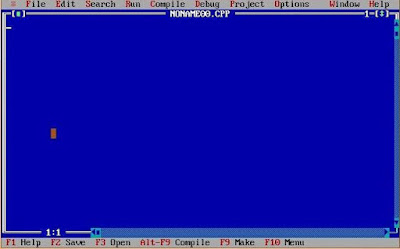
Hi friends this is first time that I am sharing something other than C++ program on this blog.In this post I am going to share some useful Turbo C++ keyboard shortcuts.I am sure that with the help of these shortcuts you can increase your working speed in TC compiler.
Also Read: How to write and run c/c++ programs in Ubuntu
Also Read: How to write and run c/c++ programs in Ubuntu
Turbo C++ keyboard shortcuts
S.No. | Shortcuts keys | Action |
1. | F1 | For Help |
2. | F2 | Save |
3. | F3 | Open |
4. | F4 | Go to cursor |
5. | F5 | Zoom |
6. | F6 | Next |
7. | F7 | Trace into |
8. | F8 | Step over |
9. | F9 | Make |
10. | F10 | Menu |
11. | Alt+X | Quit |
12. | Alt+Bksp | Undo |
13. | Shift+Alt+Bksp | Redo |
14. | Shift+Del | Cut |
15. | Ctrl+Ins | Copy |
16. | Shift+Ins | Paste |
17. | Ctrl+Del | Clear |
18. | Ctrl+L | Search again |
19. | Alt+F7 | Previous error |
20. | Alt+F8 | Next error |
21. | Ctrl+F9 | Run |
22. | Ctrl+F2 | Program reset |
23. | Alt+F9 | Compile |
24. | Alt+F4 | Inspect |
25. | Ctrl+F4 | Evaluate/Modify |
26. | Ctrl+F3 | Call stack |
27. | Ctrl+F8 | Toggle breakpoint |
28. | Ctrl+F5 | Size/Move |
29. | Alt+F3 | Close |
30. | Alt+F5 | User screen |
31. | Alt+0 | List all |
32. | Shift+F1 | Index |
33. | Ctrl+F1 | Topic search |
34. | Alt+F1 | Previous topic |
35. | Ctrl+F7 | Add watch |
String in C Part 3
Read: String in C - Part 2
In the last tutorial I told you about the subtle difference between gets() and scanf() function. Apart from this I also told you about the two ways to print strings on the screen. Armed with the basic concepts of strings lets move our journey forward to learn some advance topics of strings. Today I will tell you about the usage of strings with pointers and I will tell two-dimensional array of characters.
First one is quite familiar to you. But the second one is bit different. In the second one we are storing the address of first character of the string in character pointer. When compiler encounters this, it immediately store the entire string at some place and store the base address of it in character pointer.
Now one million dollar question which will hit your mind. Which one is better and why?
Well the answer depends on the condition or situation in which we have to use strings. But still programmers generally prefer the second method because it gives some flexibility to them.
Given below are two examples of such conditions.
Explanation
As you can see we cannot directly copy one string to another. It will result in an error. Why? This is because by accessing the name of the string we will only get the base address of the string. So when we directly copy one string to another. It will only try to copy the base address of one string to another string that will result in an error.
On the other hand by using character pointer we are only storing base address of string which can be easily copied to another character pointer.
Explanation
When we store string in the normal way then we cannot initialize it multiple times. On the other hand we can again initialize the array when we store it in character pointer.
Output

The program is self explainable. I have only used character 2D arrays and I have initialized it with some names. To print those names of the screen I have used one for loop. In the printf() function I have just incremented the subscript row wise to access all the names.
In the last tutorial I told you about the subtle difference between gets() and scanf() function. Apart from this I also told you about the two ways to print strings on the screen. Armed with the basic concepts of strings lets move our journey forward to learn some advance topics of strings. Today I will tell you about the usage of strings with pointers and I will tell two-dimensional array of characters.
String in C
Strings and Pointers
Strings can be stored in two ways. The first one is quite obvious that we have used till now. In the second method we can store strings in character pointer. Given below is one small example.char name[]="TheCrazyProgrammer";
char *p="TheCrazyProgrammer";
First one is quite familiar to you. But the second one is bit different. In the second one we are storing the address of first character of the string in character pointer. When compiler encounters this, it immediately store the entire string at some place and store the base address of it in character pointer.
Now one million dollar question which will hit your mind. Which one is better and why?
Well the answer depends on the condition or situation in which we have to use strings. But still programmers generally prefer the second method because it gives some flexibility to them.
Given below are two examples of such conditions.
void main( )
{
	char name[]="Hello";
	char name1[20];
 	char *a ="Good Morning";

 	char *b;
	name1=name;	//error
	b=a;	//works
}
Explanation
As you can see we cannot directly copy one string to another. It will result in an error. Why? This is because by accessing the name of the string we will only get the base address of the string. So when we directly copy one string to another. It will only try to copy the base address of one string to another string that will result in an error.
On the other hand by using character pointer we are only storing base address of string which can be easily copied to another character pointer.
void main( )
{
	char name[]="Hello";
	char *name2="Hello";
	name="Bye";	//error
	name2="Bye";	//works
}
Explanation
When we store string in the normal way then we cannot initialize it multiple times. On the other hand we can again initialize the array when we store it in character pointer.
2D Array of Characters
In the earlier tutorials I already told you about the 2D arrays. 2D arrays of characters are also similar to them. So consider the below program to understand its working.#include<stdio.h>
void main()
{
char name[4][10]={
"Neil",
"James",
"John",
"Ricky"
};
int x;
for(x=0;x<4;x++)
{
printf("%s
",name[x]);
}
}
Output
Thursday, February 12, 2015

Free Web PSD Theme

Free Download Web PSD Theme. freebie is a creative PSD theme for your agency, portfolio or business, called Kappe. Enjoy!
Type : PSD
Category : Web Templates
License : Free
Author : Bestpsdfreebies
Download
Subscribe to:
Posts (Atom)